dump_firefox_log
How to run the scrip for helping us collecting the log.
MacOS
Download the shell script here firefox_log_mac.sh and save it in your home directory.
- Make sure you close all the Firefox running on your machine(Command + Q to close the Firefox).
- Run it(sh firefox_log_mac.sh) in your Terminal(Command + T)
- Select and reporduce the issue.
- Close the Firefox entirely(Command + Q).
- The log file will be generate in the /Users/username/FirefoxLog/all.log
- Upload all.log to Bugzilla.
Linux
Download the shell script here firefox_log_linux.sh and save it in your home directory.
- Make sure you close all the Firefox running on your machine(Command + Q to close the Firefox).
- Run it(sh firefox_log_linux.sh) in your Terminal(Ctrl + Shift + T).
- Enter Firefox path and reporduce the issue.
- Close the Firefox entirely.
- The log file will be generate in the /home/username/FirefoxLog/all.log
- Upload all.log to Bugzilla
Windows
Please do the following steps for helping us to collect the log.
-
Download the batch file here log_recorder.bat and save it in your Desktop folder.
-
Make sure you close all the Firefox running on your machine.
-
Right click the batch file, and run it as administrator.
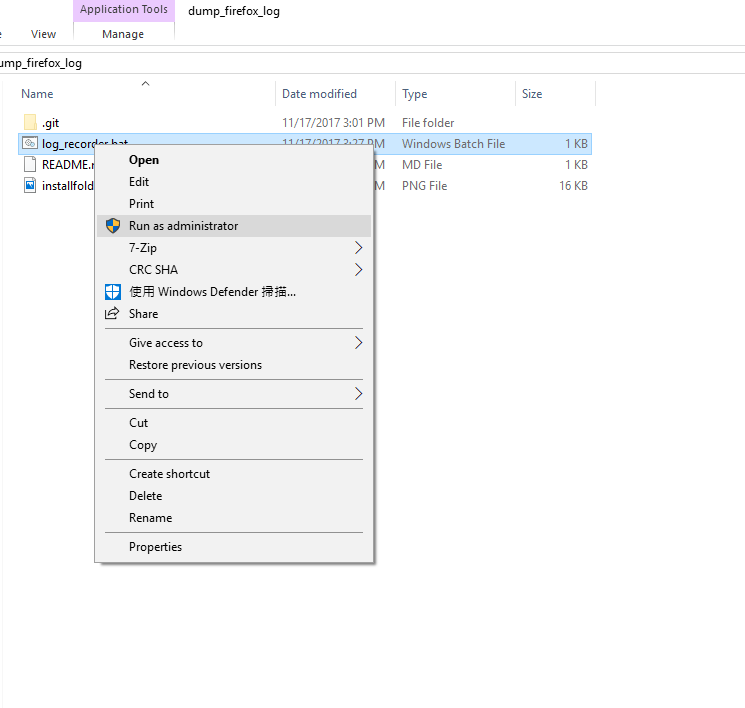
- You may encounter the dialog, press “More info” and click “Run anyway”.
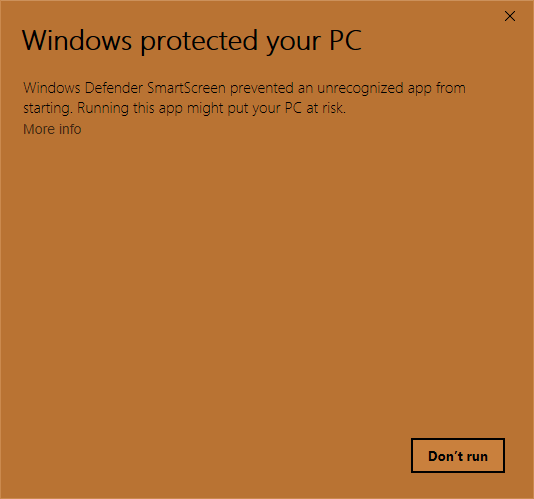
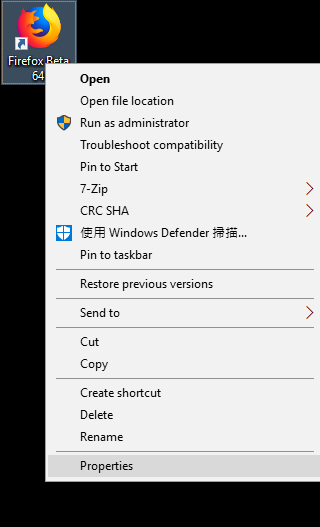
- Enter the Firefox installation folder to the cmd.
- You can copy paste the path from “Right click the Firefox icon”->”Properties”
- Copy the path “without” quotes.
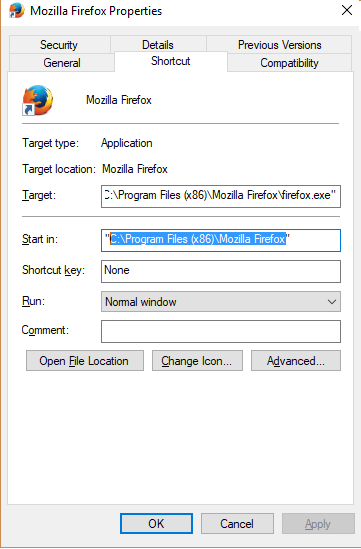
- Paste it to the cmd.
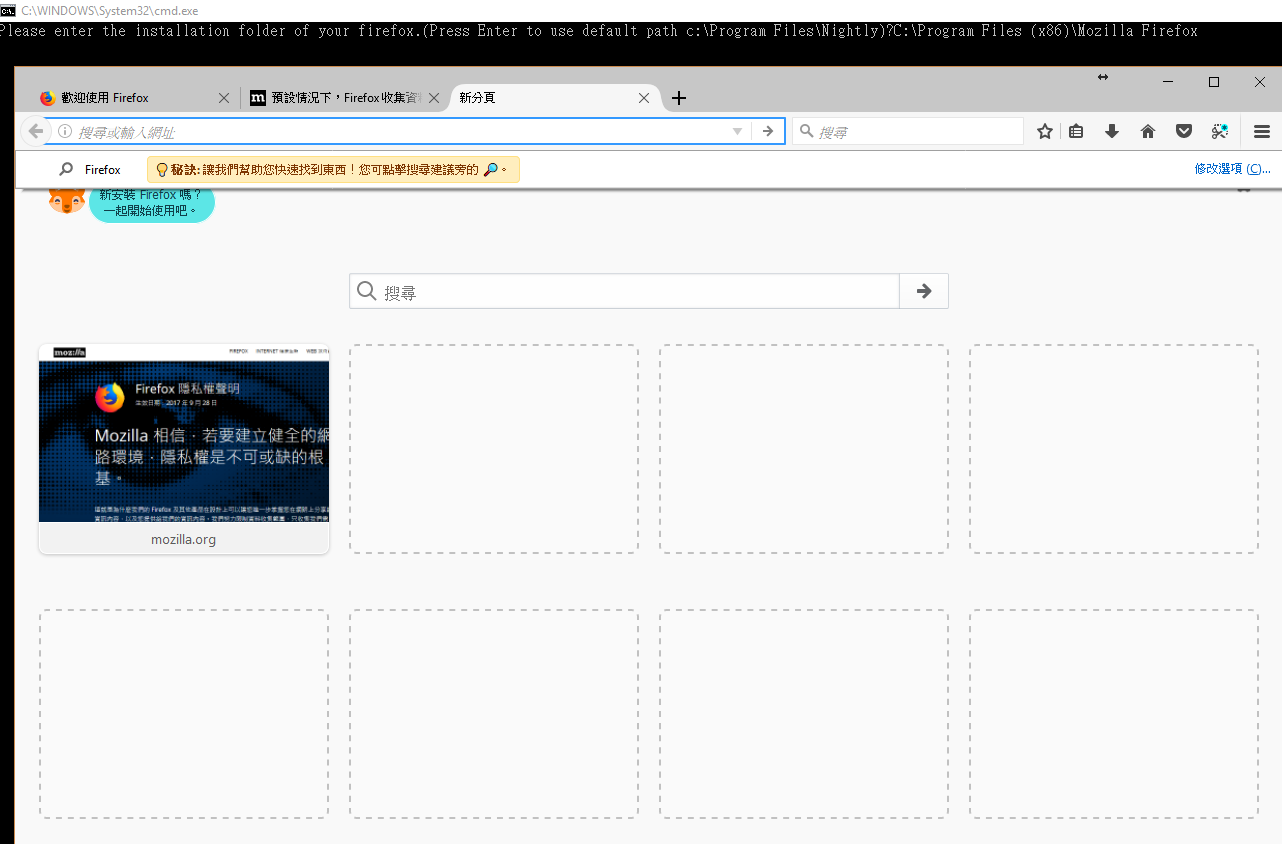
-
Ideally, the Firefox will start and you can start to reproduce the issue you met.
-
Close the Firefox entirely(clicking the close button).
-
You will see a folder named “FirefoxLog” in your Desktop folder.
-
Please zip the folder and attach it to the bugzilla!
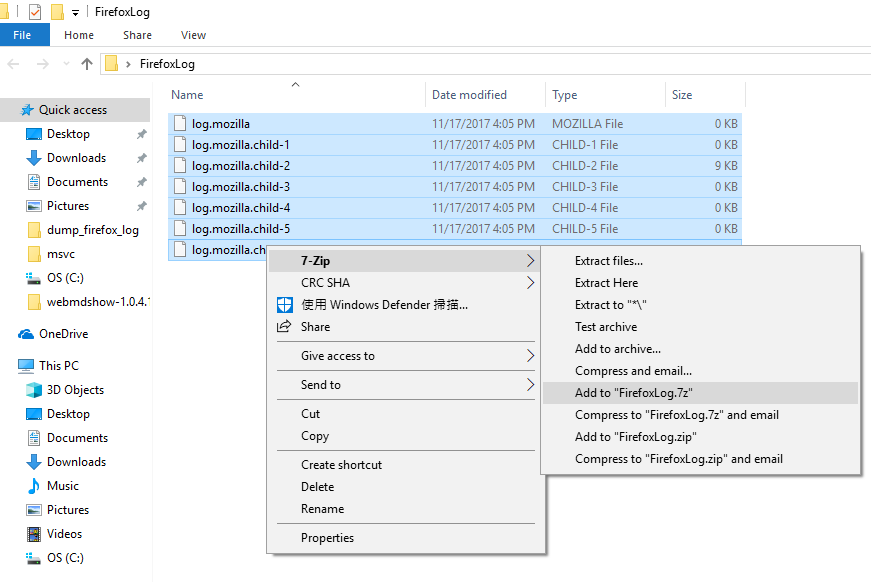
Thanks.